
Description
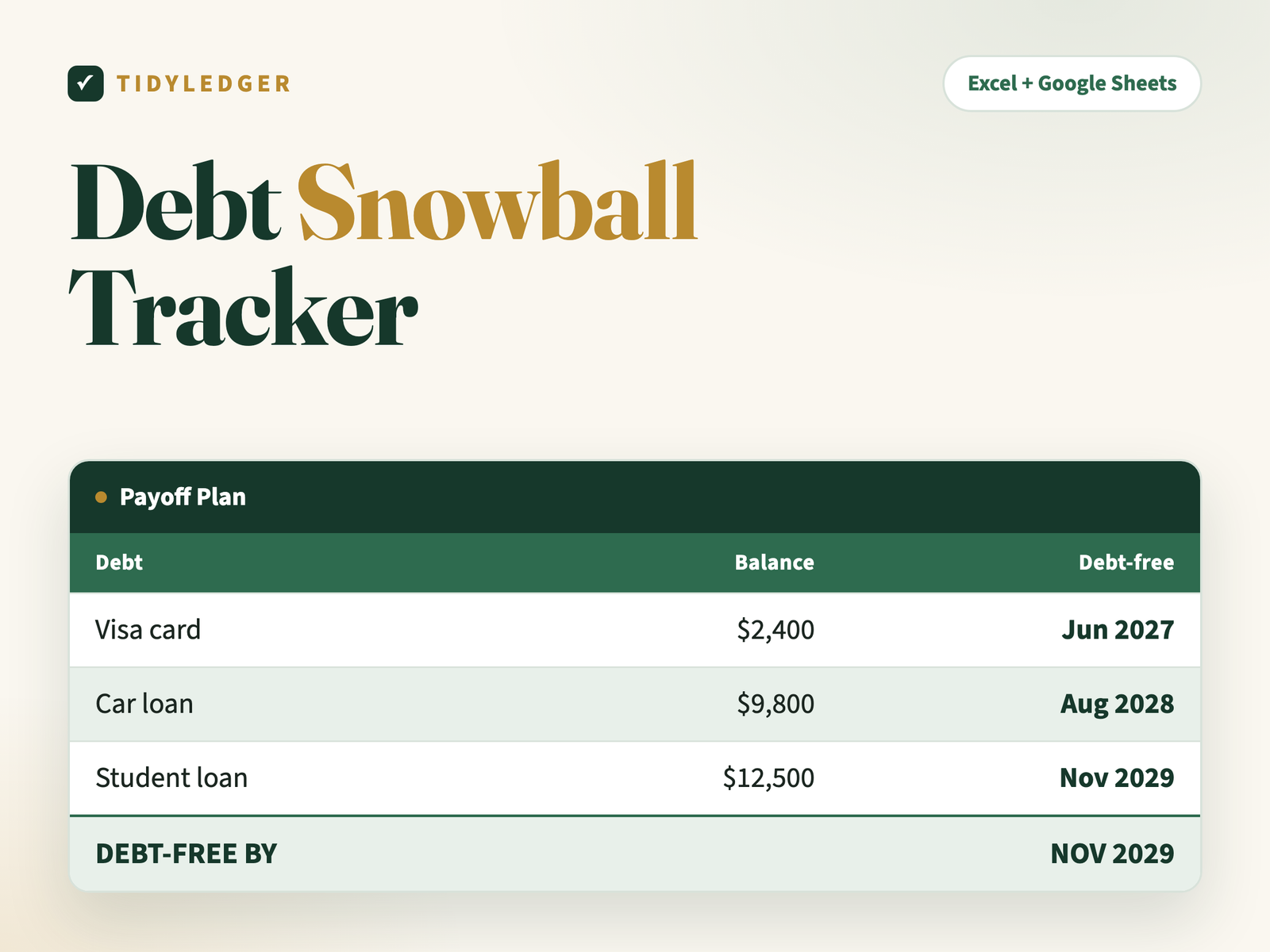
Not a motivational poster — a payoff engine. List your debts, pick a method, and get a month-by-month rollover plan with the actual date you’re done, computed with real amortization math (the same NPER/FV formulas banks use).
Inside the template — tab by tab
- Start Here — two-minute setup for Excel or Google Sheets.
- My Debts — up to 15 debts with type (credit card, student loan, car loan, personal loan, medical, buy-now-pay-later, other), balance, APR and minimum payment. Choose Snowball (smallest balance first — quick wins) or Avalanche (highest APR first — least interest) from one dropdown and the payoff order re-ranks instantly.
- Payoff Plan — set your extra monthly payment and start month. For each debt: the attack payment (every finished minimum rolls over into the next debt), months to clear it, the running timeline, and its own debt-free date — topped by the big DEBT-FREE BY date. If a payment doesn’t even cover interest, the row flags it.
- Progress — a 100-row payment log with per-debt totals and milestone markers at 25 / 50 / 75 / 100% of your starting debt.
Why it works
Two levers move your date: order and extra dollars. The plan makes both visible — switch methods and compare, or type +$50 extra and watch the debt-free date jump closer. Update balances monthly; it recalculates instantly.
The details
- Format: Excel (.xlsx) — imports into free Google Sheets in two clicks (step-by-step instructions included)
- In your download: the spreadsheet, a Quick-Start PDF, a README and the personal-use license
- Delivery: instant download after checkout plus an email link — unlimited re-downloads, links never expire
- Works on: Excel 2016 or newer (Windows & Mac), Excel for the web, and Google Sheets. No macros, nothing to install.
- One rule: type only in white cells — green-tinted cells calculate themselves
- Guarantee: 30-day fix-or-refund. Reply to your order email; a human answers within 24 hours.
Reviews
There are no reviews yet.